DrCoder v1.0.0 Official Release Ready • Auto-detected Platform

The Complete Desktop Platform for Android Management & Diagnostics

Manage multiple devices over USB & Wireless ADB, stream lossless 60 FPS scrcpy, safely flash partitions with safety countdown barriers, audit deep battery & hardware telemetry, and automate workflows. 100% Local-First. Zero Telemetry.
Windows 10 / 11 (x64)
macOS Apple Silicon & Intel
Linux AppImage & Debian
Zero Telemetry / 100% Local-First
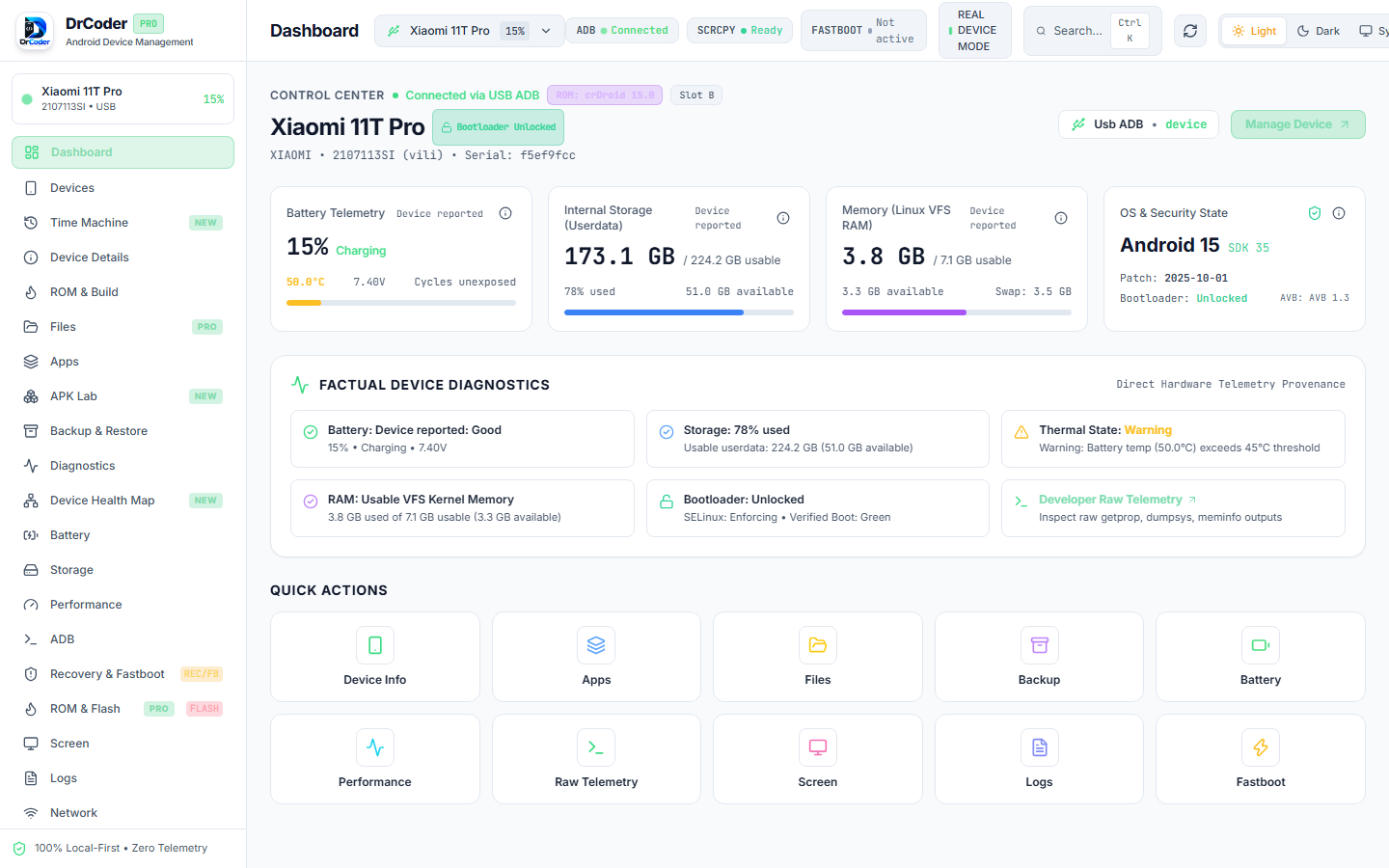
DrCoder Desktop — Android Device Management & Diagnostics Platform
DrCoder Desktop Interface
1
2
3
4

Download DrCoder for Your Workstation

Official, certified desktop packages for Windows, macOS, and Linux. Completely self-contained with SHA-256 integrity verification.

RECOMMENDED

Windows

Windows 10 & 11 (64-bit architecture). Standard Setup Wizard with Start Menu & Desktop integration.

SHA-256: 2bbb8b647022e8f8...
UNIVERSAL

macOS

macOS 12.0 (Monterey) or newer. High DPI Retina graphics, dark mode sync, and Apple Silicon M1/M2/M3/M4 support.

SHA-256 (arm64): 4f13226aae1...
PORTABLE

Linux

Ubuntu 20.04+, Debian 11+, Fedora 36+, Arch Linux (glibc 2.31+). Standalone Type-2 AppImage with desktop launcher.

SHA-256: db5489210af6975...
View Full SHA256SUMS.txt File ↗ • Inspect release-manifest.json ↗

Built for Power Users, Developers & Technicians

Click through DrCoder's specialized modules to inspect authentic UI screenshots, live ADB telemetry, and safety-verified partition tools.

FIRMWARE & PARTITIONS

Deep ROM Inspection & Safe Partition Flashing

Inspect Android factory firmware (`payload.bin`, Fastboot ZIPs, raw partition images) without extracting random archives. Checks Android Verified Boot (AVB0), image headers (`ANDROID!`), partition maps, and enforces locked bootloader barriers.
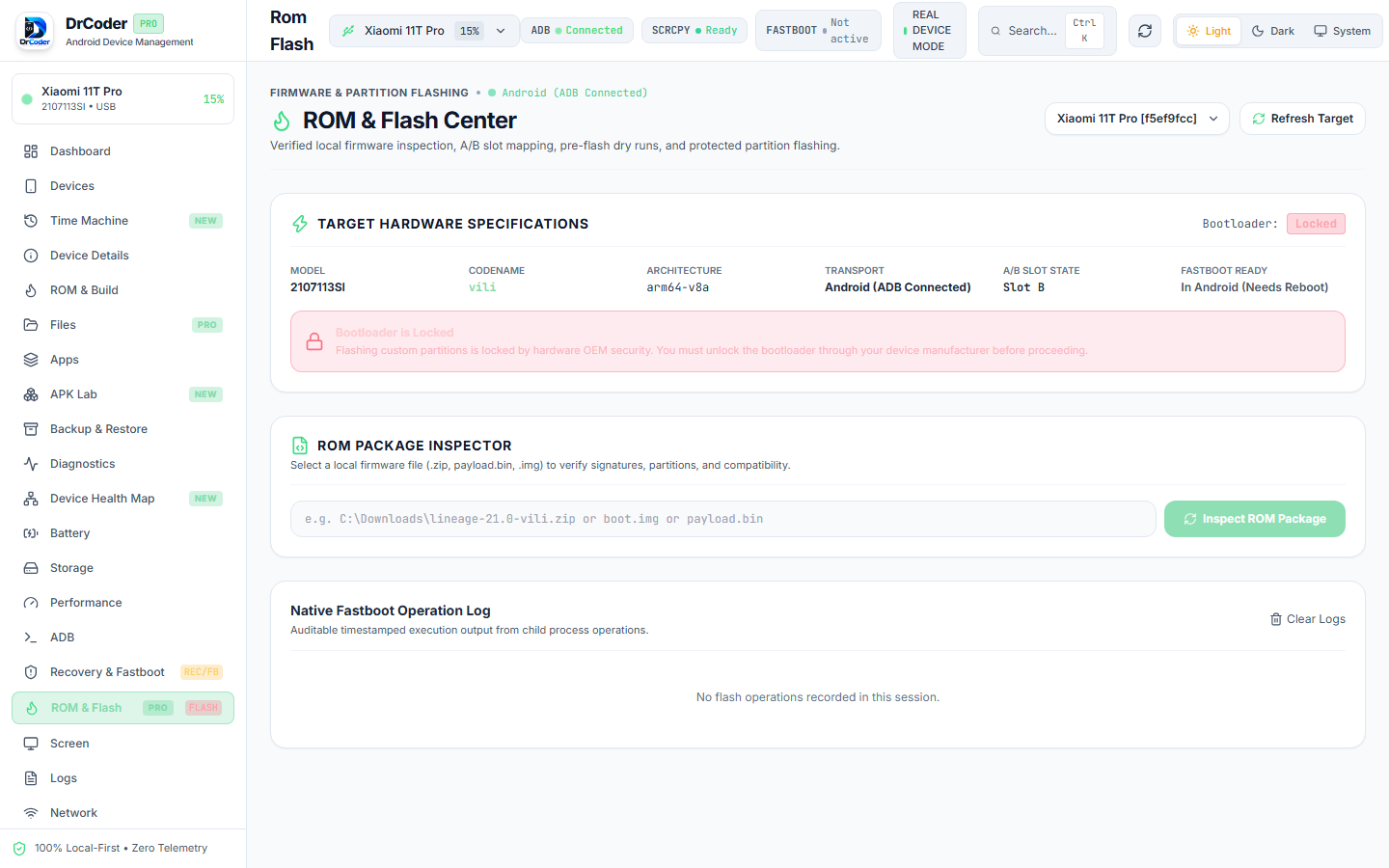
  • Payload.bin Parser: Zero-overhead streaming extraction of boot, init_boot, vendor_boot, super, and vbmeta images.
  • Pre-Flight Dry Run: Simulates partition mapping, codename matching, and storage capacity before touching hardware.
  • Triple Safety Guard: Requires typing "FLASH DEVICE" and enforces a 3-second safety countdown to prevent accidental bricks.
Read ROM Flashing Tutorial →
DrCoder ROM & Flash Center Interface ROM & Flash Workstation
BOOTLOADER MANAGEMENT

Hardware-Level Fastboot & Recovery Control

Direct hardware communication with connected Fastboot devices. Real-time extraction of `fastboot getvar all`, A/B slot state detection, active slot switching, and temporary bootloader execution.
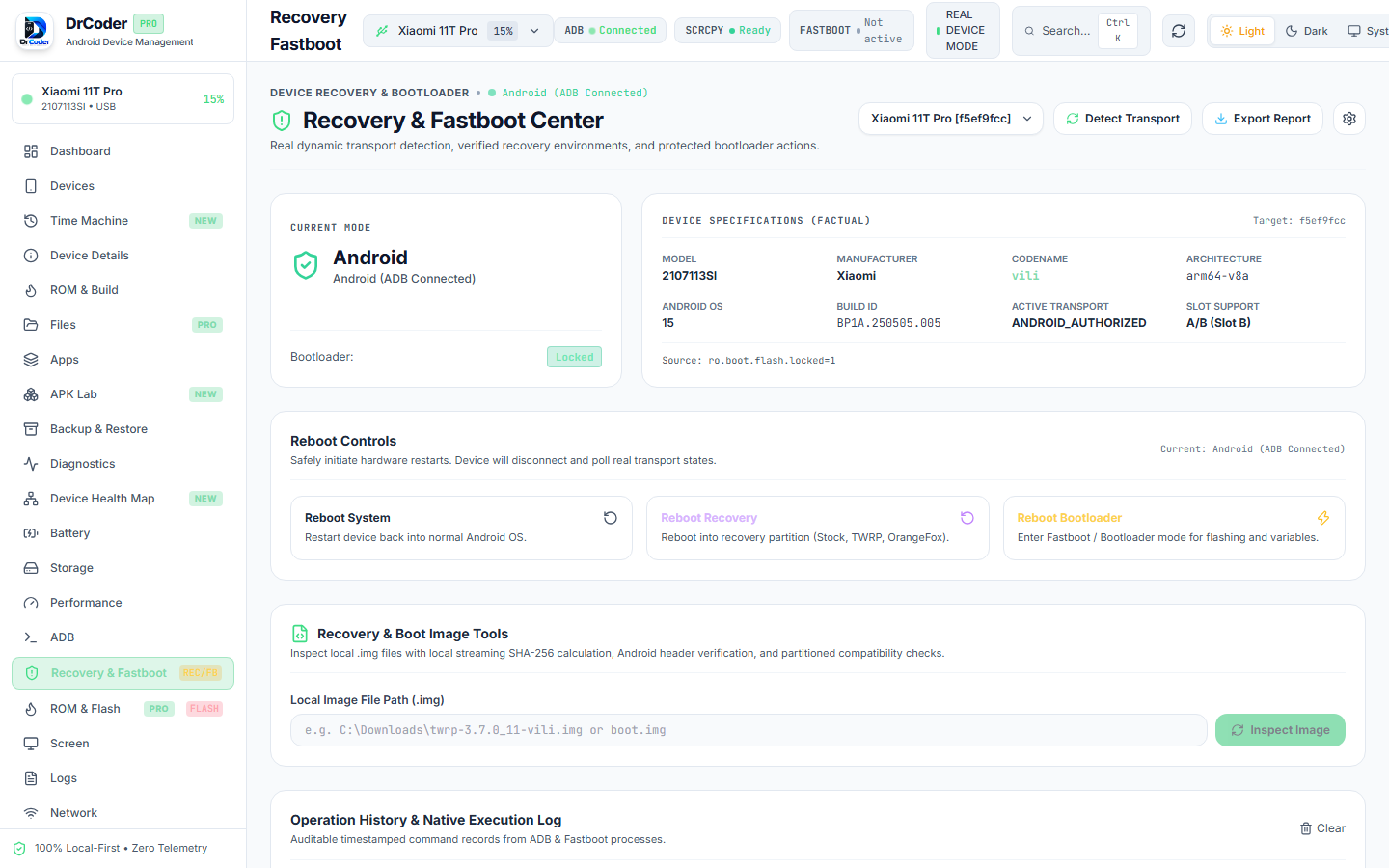
  • Active A/B Slot Manager: Toggle between Slot A and Slot B with active slot integrity alerts.
  • Non-Permanent Boot (`fastboot boot`): Safely test custom recovery images (TWRP/OrangeFox) in memory without overwriting partitions.
  • One-Click Reboot Targets: Fastboot to System, Recovery, Bootloader, or Fastbootd mode instantly.
Read Fastboot Tutorial →
Recovery & Fastboot Center Interface Fastboot & Recovery Center
FACTUAL HARDWARE AUDIT

Deep Diagnostic Scan With Zero Fake Health Scores

Unlike generic cleaning tools that fabricate arbitrary "98% health" scores, DrCoder queries real OEM Linux kernel nodes (`/sys/class/power_supply/battery`), thermal HAL zones, dumpsys packages, and ICMP network pings.
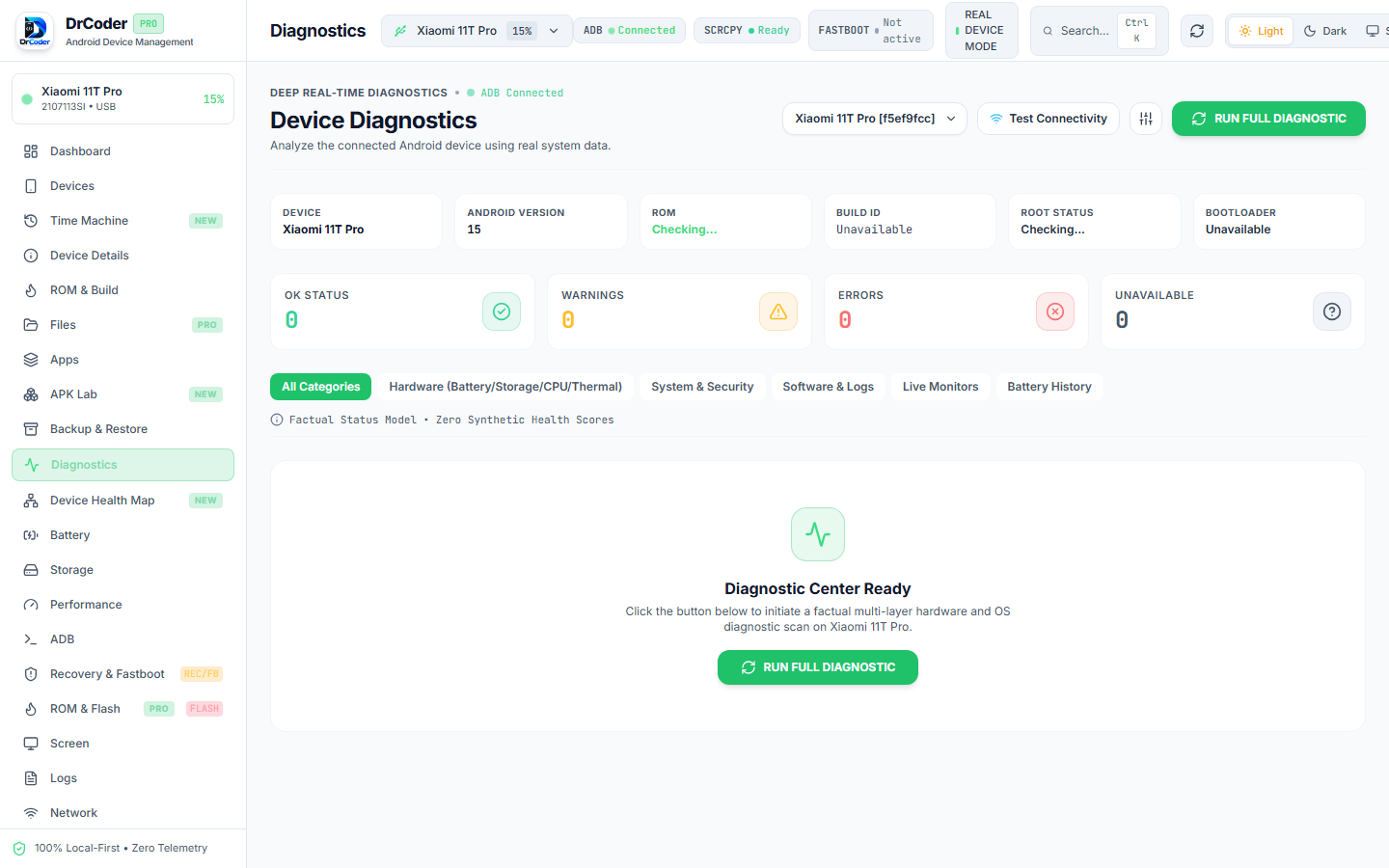
  • Kernel Cycle & Thermal Metrics: Real battery voltage (mV), charge cycle counts, mA draw, and CPU core temperature readings.
  • Crash Buffer Inspection: Parses Android's crash buffer (`logcat -b crash -d`) to surface kernel panics and application exceptions.
  • Privacy-Redacted Reports: Export diagnostic audit reports (TXT or JSON) with automatic device serial and PII masking.
Read Diagnostics Tutorial →
Device Diagnostics Dashboard Hardware Diagnostics Center
LOW-LATENCY STREAMING

Lossless 60 FPS Scrcpy Screen Mirroring

High-definition screen mirror with zero perceptible lag. Type directly with your computer keyboard, click with pixel-precision, and control phones with their screen physically off to conserve battery.
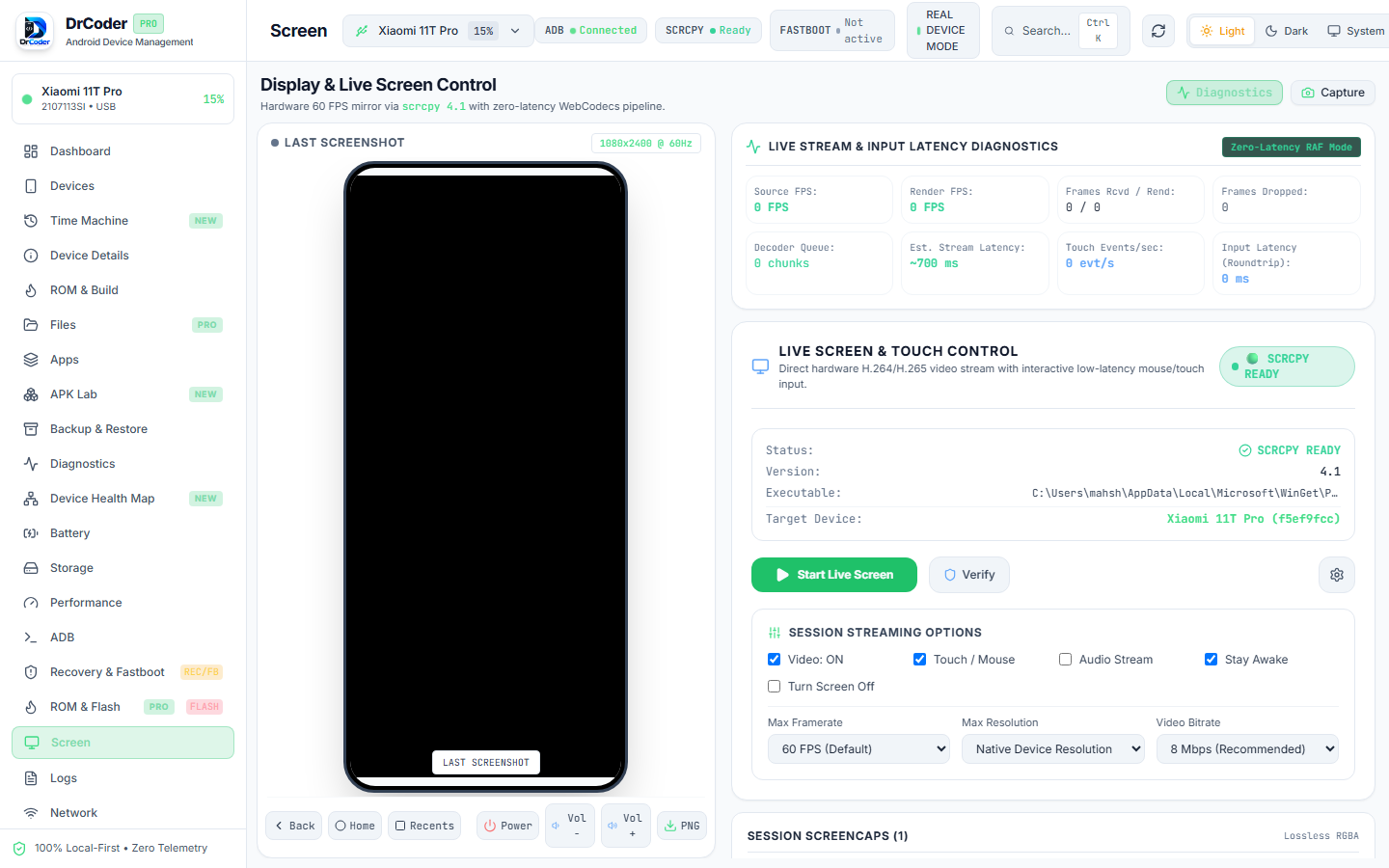
  • Full Keyboard & Mouse Passthrough: Physical keys and mouse scrolls injected directly into Android.
  • Screen-Off Control: Operate your phone without powering on the physical AMOLED/LCD panel.
  • Lossless MP4 Recording: Capture clean demonstration videos with synchronized audio forwarding.
Read Scrcpy Tutorial →
Scrcpy Live Screen Mirroring 60 FPS Scrcpy Stream
SYSTEM METRICS

Real-Time Per-Core CPU & Frametime Telemetry

Track hardware governor frequencies, RAM allocation, thermal throttling zones, and jank framestats during heavy gaming and multitasking.
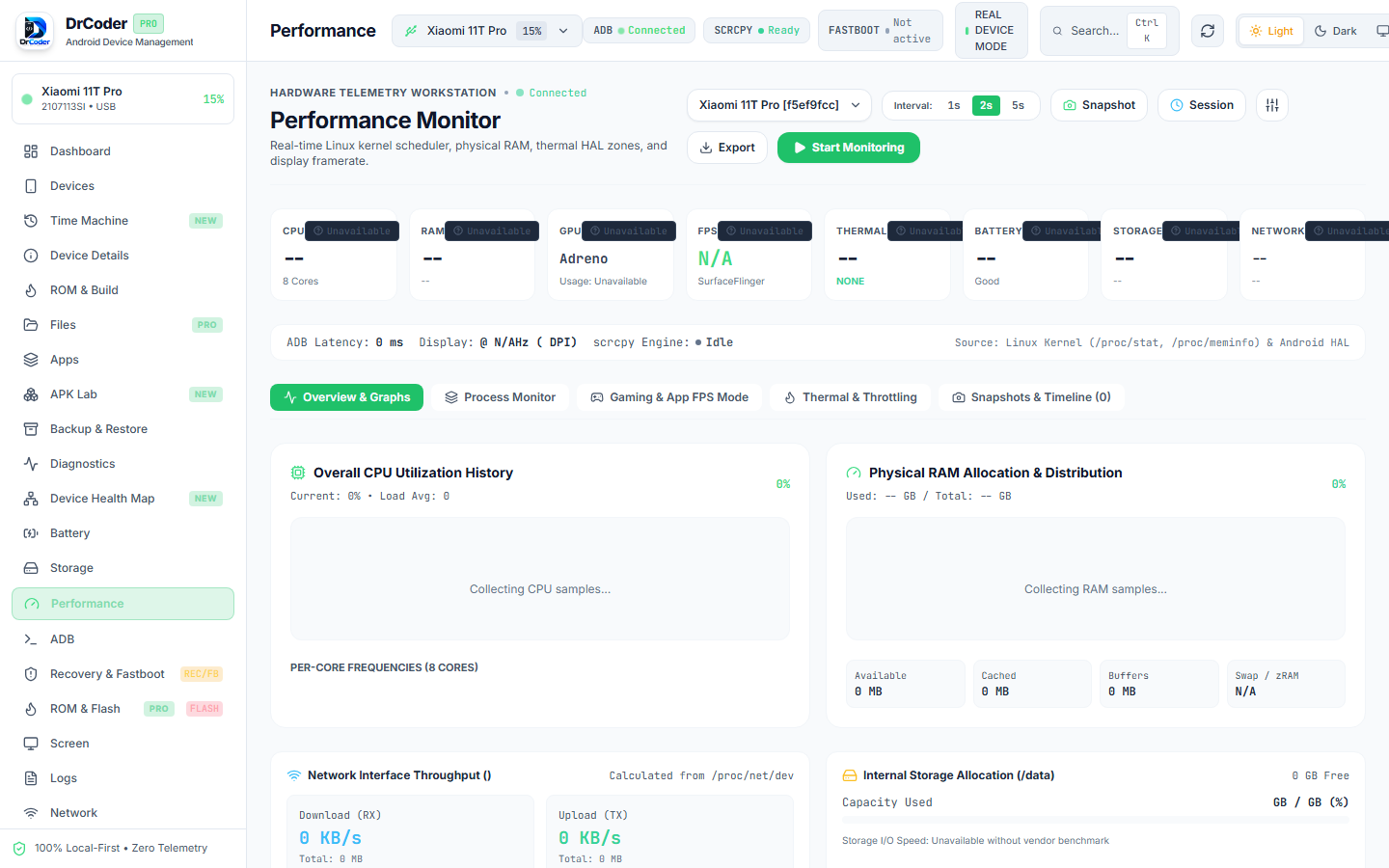
  • Multi-Core Scaling: Live frequencies from `/sys/devices/system/cpu/cpu*/cpufreq/scaling_cur_freq`.
  • Gfxinfo Framestats: Real frame time distribution, 90th percentile frame delay, jank percentage, and VSYNC drop count.
  • Active Process Inspector: Sortable top processes by CPU and RAM utilization.
Read Performance Tutorial →
Performance Monitor Dashboard Performance Monitor Workstation
INTERACTIVE TERMINAL

Real Device-Targeted ADB Shell Workstation

Execute single-command shell queries or start persistent interactive sessions directly with connected Android hardware. Eliminates confusing serial flags by auto-scoping commands to `-s `.
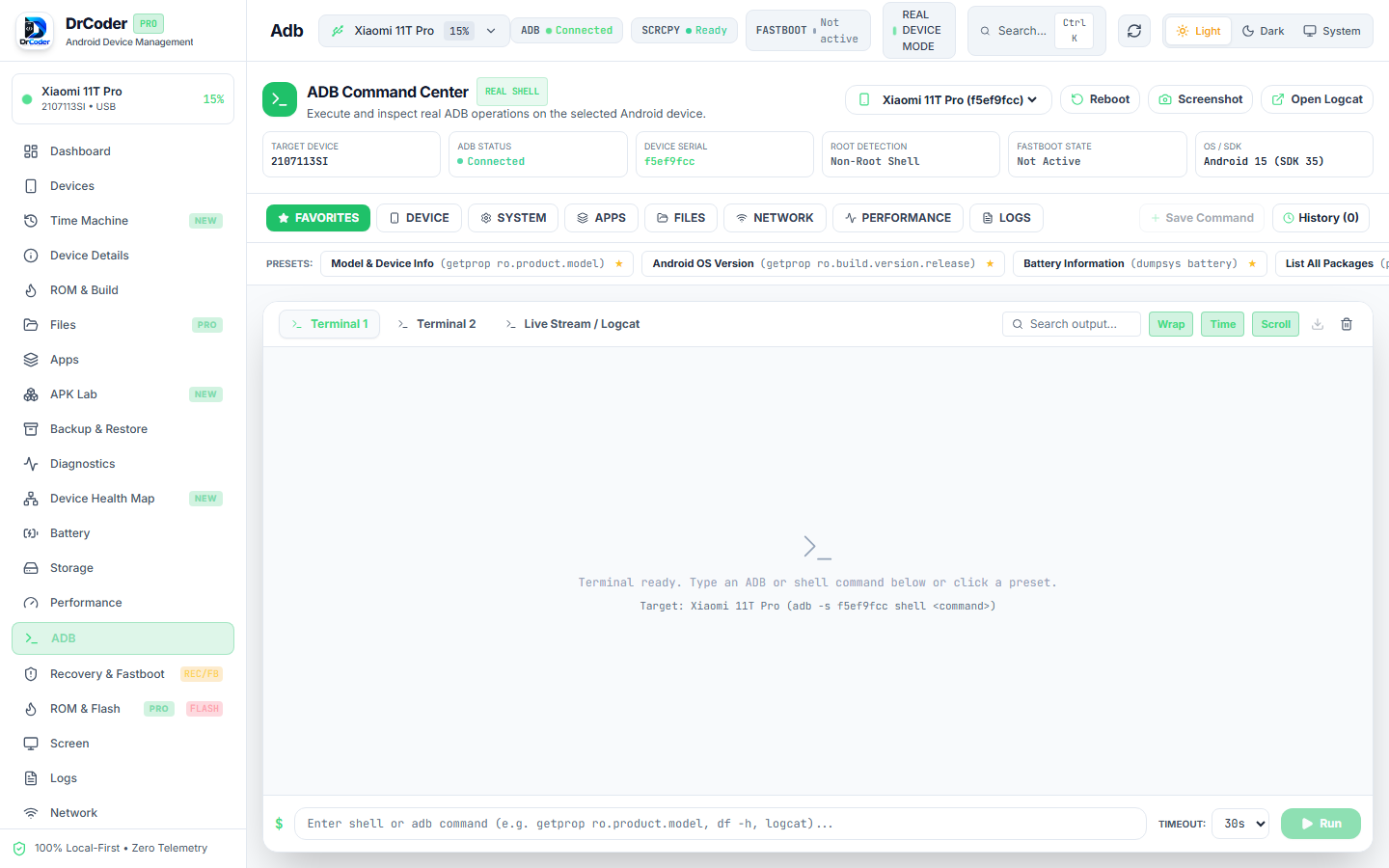
  • Built-In Macro Library: Instant buttons for dumpsys battery, pm list packages, wm size/density, and getprop inspection.
  • Command History & Latency: Full session log with execution latency (ms) and terminal stdout/stderr separation.
  • Zero Shell Interpolation: Commands executed with strict argument arrays for maximum workstation security.
Read ADB Terminal Tutorial →
ADB Command Center Terminal ADB Command Center
STORAGE & FILES

Advanced Dual-Pane Android File Manager

Manage device internal storage and root partitions with drag-and-drop ease, high-speed streaming transfers, and direct Linux permissions modification.
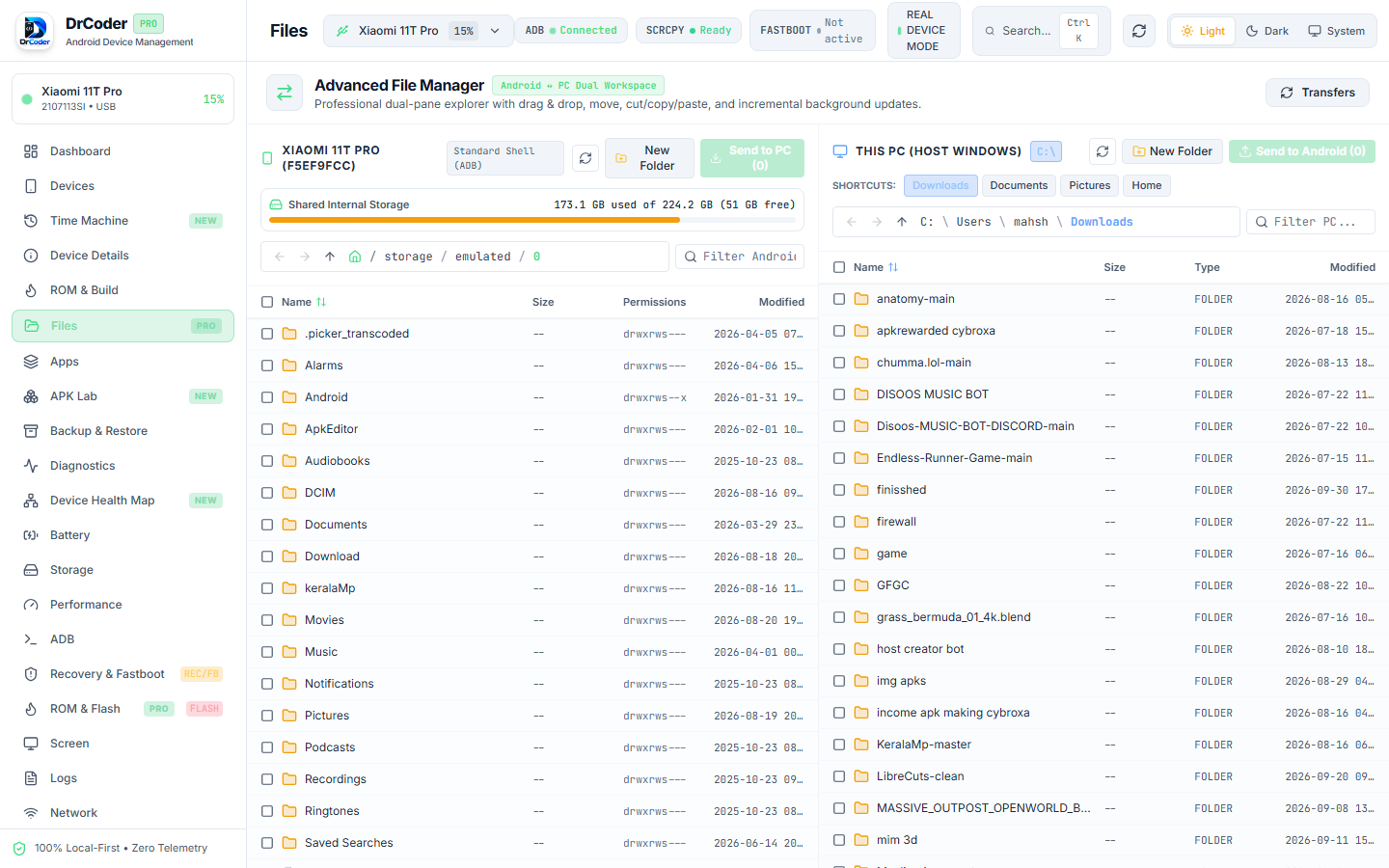
  • Two-Pane Workspace: Local PC directories on one side, Android flash storage on the other.
  • Streaming ADB Pipeline: Fast transfers with chunked streaming and real-time transfer speedometers.
  • Chmod Permissions Editor: Inspect and modify Unix file permissions (0755, 0644) directly.
Read File Manager Tutorial →
Advanced Two-Pane File Manager Advanced Dual-Pane File Manager
TIME MACHINE & SNAPSHOTS

Device Time Machine & Incremental State Snapshots

Maintain local historical timelines, detect package and storage modifications, investigate system regressions, and safely rollback device actions with a single click.
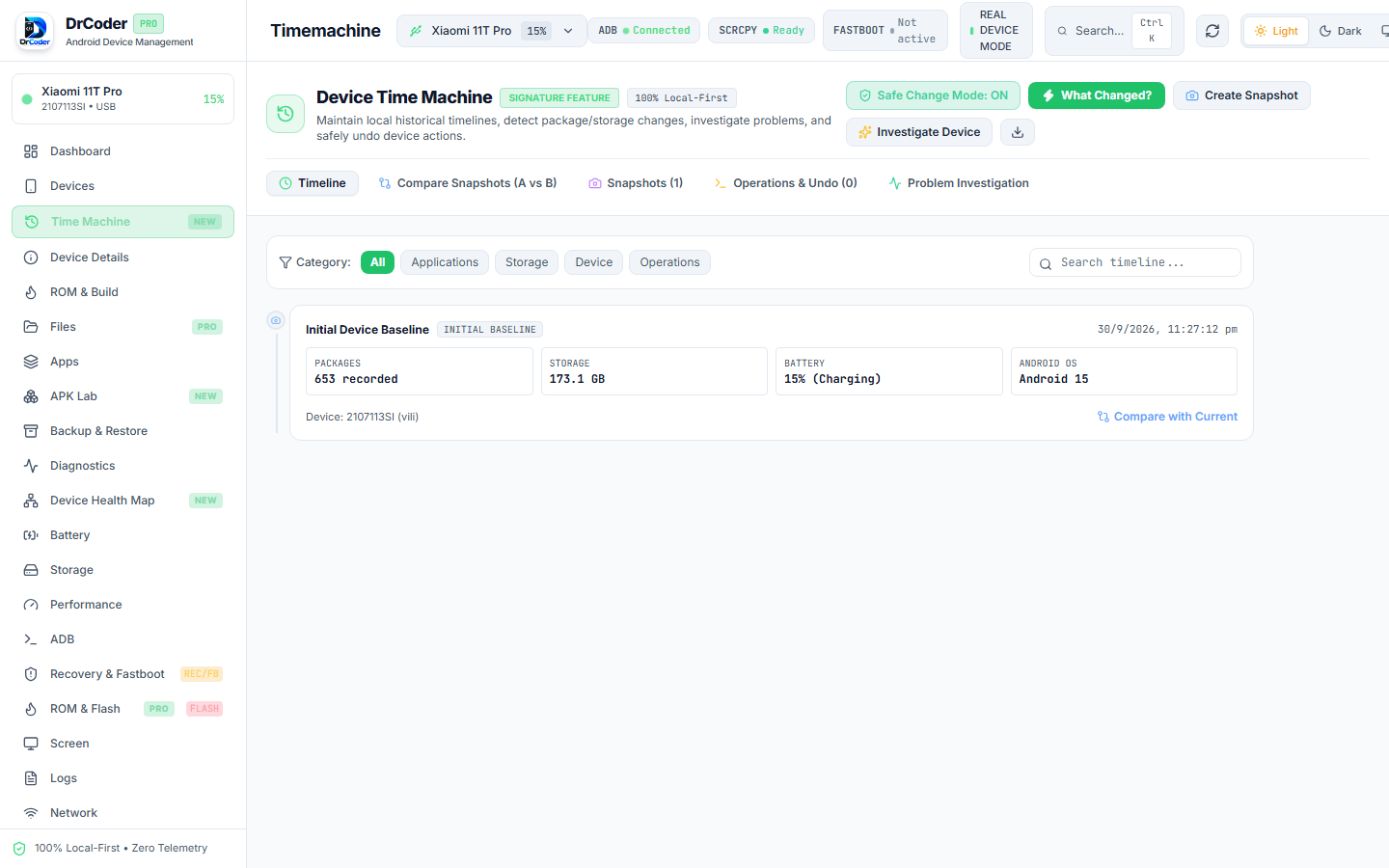
  • Differential Baseline Snapshots: Track package counts, storage delta, battery health, and Android OS builds.
  • Snapshot Comparison (A vs B): Side-by-side diff of installed APKs, permissions, and internal filesystem trees.
  • One-Click Operation Rollback: Safely undo recent batch APK installs, permission grants, or configuration tweaks.
Read Time Machine Tutorial →
Device Time Machine Interface Device Time Machine Interface

Engineered Without Cloud Compromises

DrCoder is designed for privacy-conscious developers, security researchers, and technicians who demand absolute confidentiality of device data.

Zero Telemetry

Zero analytics scripts, zero tracking pixels, and zero cloud accounts. Everything stays 100% on your local workstation.

Scrcpy 60 FPS Engine

Lossless, low-latency screen mirroring with keyboard and mouse passthrough, multi-touch simulation, and lossless video recording.

Multi-Device Engine

Simultaneously manage USB ADB, Wireless ADB (TCP/IP 5555), and Fastboot devices. Group, favorite, and run batch tasks.

Triple Safety Guard

Destructive commands (partition wipes, firmware flashing, bootloader unlocks) enforce explicit codename typing and safety delay countdowns.

System Requirements & Developer Tools

DrCoder works with your machine's installed Android developer tools (`adb`, `fastboot`, `scrcpy`) or auto-discovers Android SDK installations.

WINDOWS (WinGet Command)
winget install Google.PlatformTools Genymobile.scrcpy
macOS (Homebrew Command)
brew install android-platform-tools scrcpy
LINUX (APT Command)
sudo apt install -y adb fastboot scrcpy